
Authentication
Authentication (Auth) is the standard way to protect your web app's resources from unwanted calls. Once a user is authenticated, only valid users can operate on your data, services, and other resources.
zero supports three auth modes. It follows industry standards to protect your app's resources.
BasicAPI KeyOAuth
Configure auth with the AUTH_MODE env var. The available options are:
AUTH_MODE=Basic #ApiKey, OAuth
AUTH_KEYS=encoded-values
zero handles auth only through the Authorization and x-api-key headers. Custom headers aren't supported yet.
HTTP Basic Auth
HTTP Basic Auth is a built-in HTTP method. The client sends a username and password in the Authorization header. It encodes username:password as Base64 and prefixes it with Basic .
zero has a built-in Basic auth validator that protects your endpoints.
pub fn main(init: std.process.Init) !void {
    var arean = std.heap.ArenaAllocator.init(std.heap.page_allocator);
    defer arean.deinit();
    const allocator = arean.allocator();

    const app: *App = try App.new(allocator, init.io, init.environ_map);

    try app.get("/basic", basicResponse);

    try app.run();
}

pub fn basicResponse(ctx: *Context) !void {
    // retrieve the basic claims
    const claims = try ctx.getUsername();

    try ctx.json(claims.?);
}APP_ENV=dev
APP_NAME=start
APP_VERSION=1.0.0
LOG_LEVEL=debug
HTTP_PORT=8081
AUTH_MODE=Basic
AUTH_KEYS="bmFtZTpwYXNzd29yZA==,bmFtZTE6cGFzc3dvcmQx"API Key Authentication
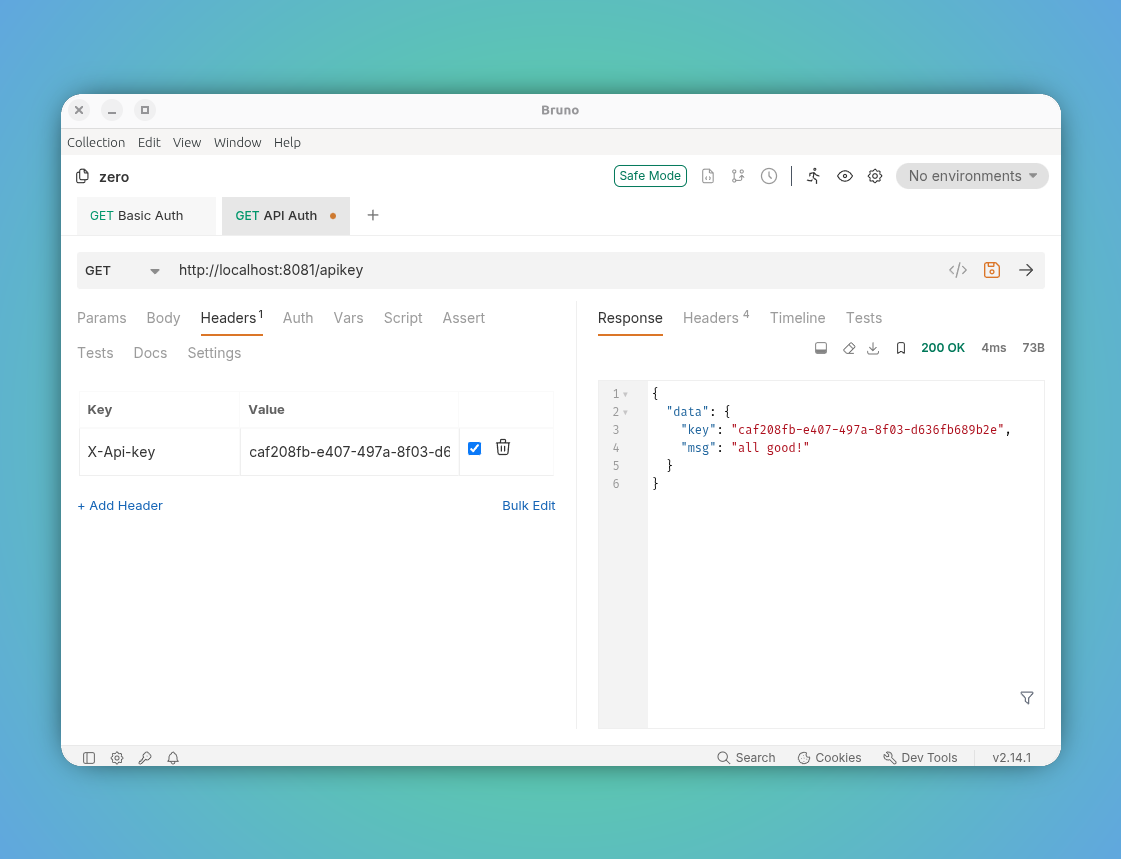
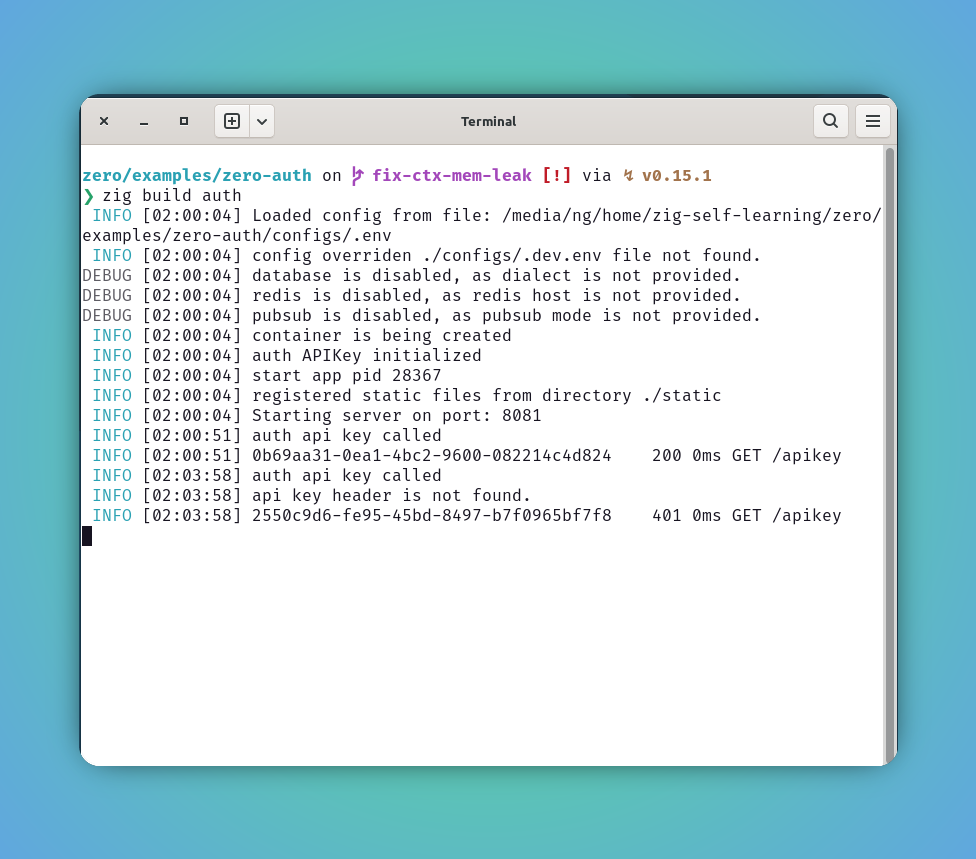
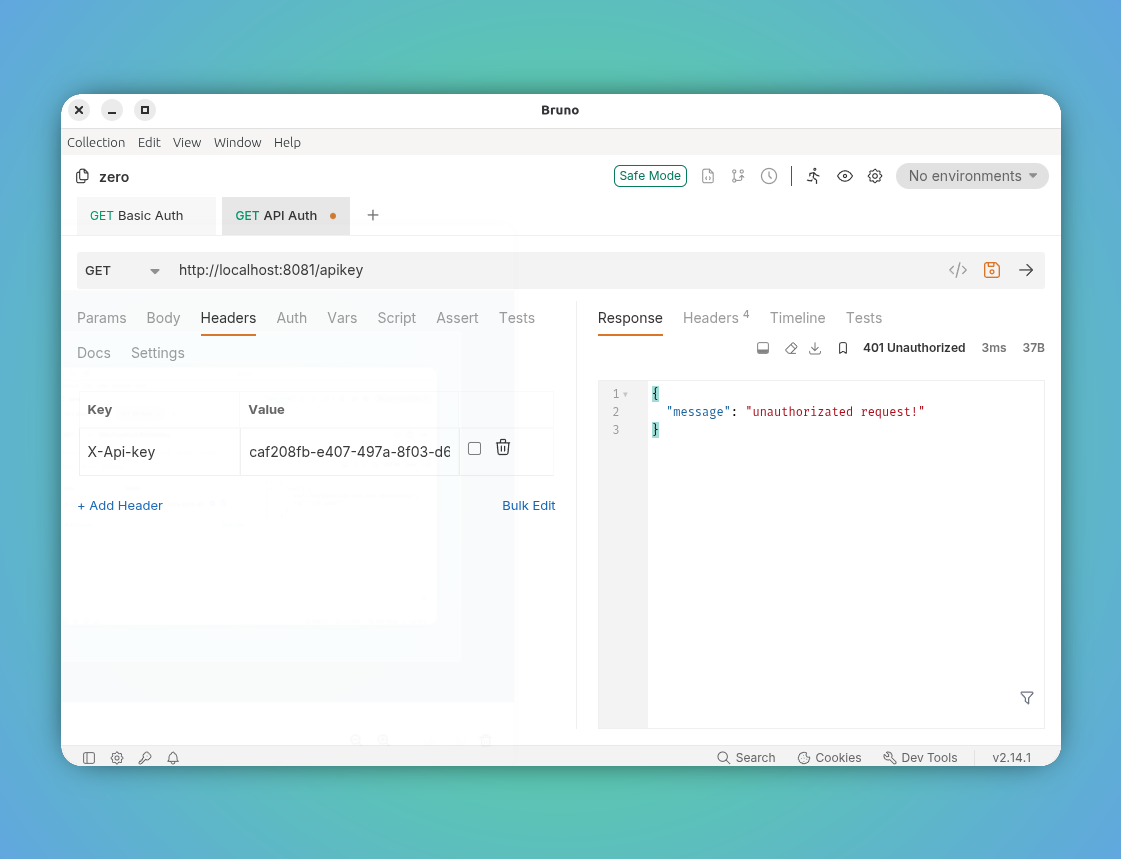
zero validates incoming requests against an allow-list of API keys in the x-api-key header.
pub fn main(init: std.process.Init) !void {
    var arean = std.heap.ArenaAllocator.init(std.heap.page_allocator);
    defer arean.deinit();
    const allocator = arean.allocator();

    const app: *App = try App.new(allocator, init.io, init.environ_map);

    try app.get("/apikey", apiKeyResponse);

    try app.run();
}

pub fn apiKeyResponse(ctx: *Context) !void {
    // retrieve the claims
    const claims = try ctx.getAuthKey();
    try ctx.json(.{ .key = claims, .msg = "all good!" });
}APP_ENV=dev
APP_NAME=start
APP_VERSION=1.0.0
LOG_LEVEL=debug
HTTP_PORT=8081
AUTH_MODE=APIKey
AUTH_API_KEYS="caf208fb-e407-497a-8f03-d636fb689b2e,b12eb288-e7b5-4919-8082-09586e4b6dd7"❯ zig build auth
INFO [02:50:42] server shutting down
INFO [02:50:45] Loaded config from file: /configs/.env
INFO [02:50:45] config overriden ./configs/.dev.env file not found.
DEBUG [02:50:45] database is disabled, as dialect is not provided.
DEBUG [02:50:45] redis is disabled, as redis host is not provided.
DEBUG [02:50:45] pubsub is disabled, as pubsub mode is not provided.
INFO [02:50:45] container is being created
INFO [02:50:45] auth APIKey initialized
INFO [02:50:45] start app pid 31325
INFO [02:50:45] registered static files from directory ./static
INFO [02:50:45] Starting server on port: 8081
INFO [02:50:48] auth api key called
INFO [02:50:48] 5a2d0f91-467b-4f9e-8a0d-6a338f822e2e 200 0ms GET /apikey
INFO [02:50:51] auth api key called
INFO [02:50:51] api key header is not found.
INFO [02:50:51] a7ba663e-c07a-49b9-893e-ed65c3e4f8e5 401 0ms GET /apikey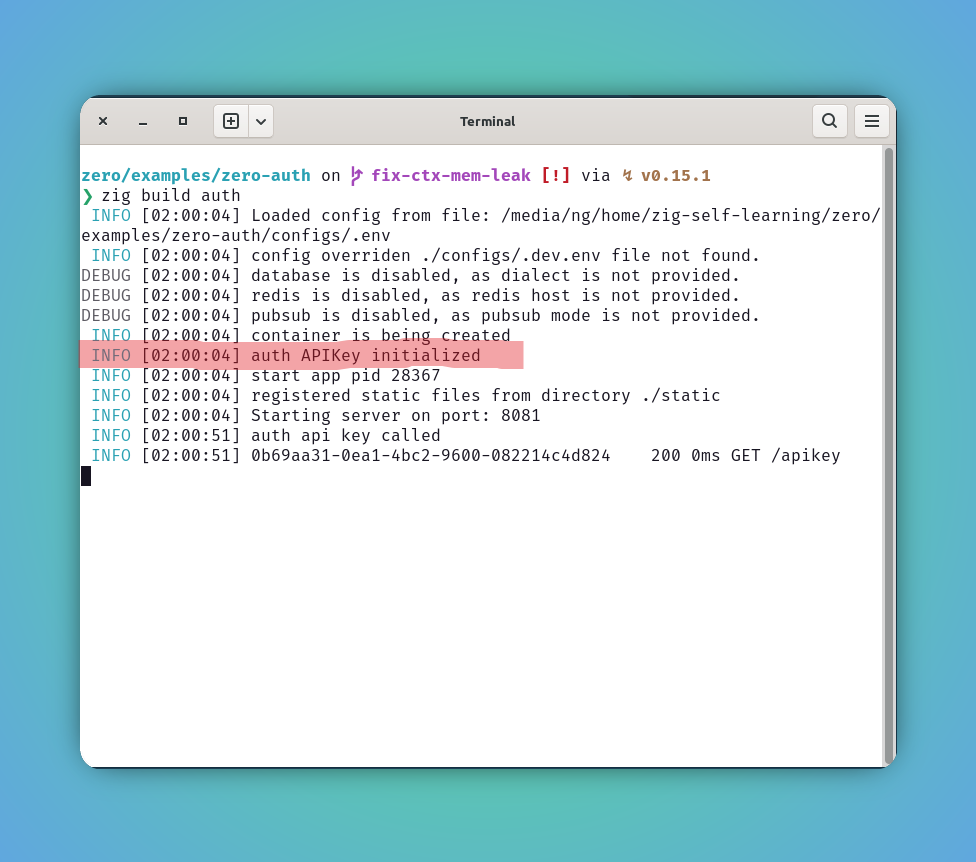
OAuth
OAuth 2.0 is the industry-standard protocol for authorization. It gives client developers a simple model and provides specific auth flows for web, desktop, and mobile apps.
zero supports OAuth through built-in functions. All your resource endpoints are protected by one or more signed JWTs.
Register your jwks_endpoint with zero. The app fetches the public keys and validates the incoming token automatically.
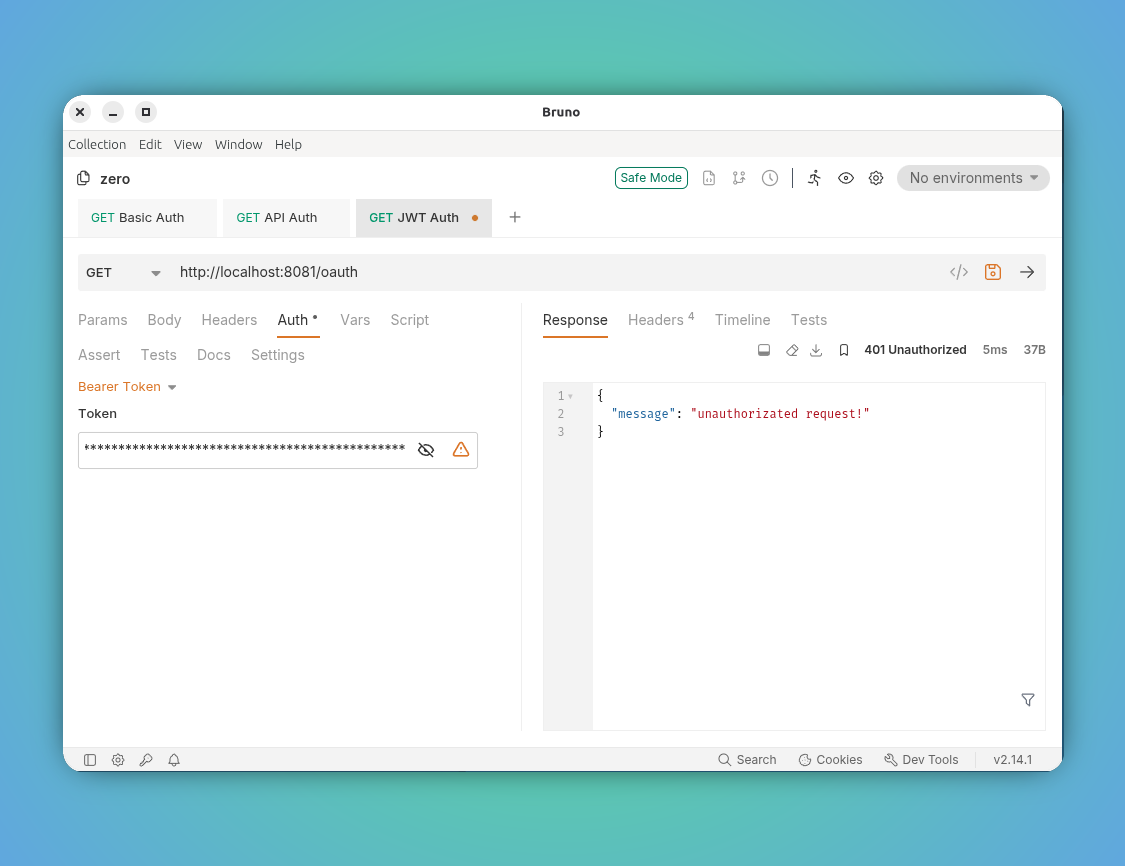
If the signature is invalid or the format is wrong, the app rejects the request with 401 Unauthorized.
To get started, give the app a few details so it can process JWTs.
pub fn main(init: std.process.Init) !void {
    var arean = std.heap.ArenaAllocator.init(std.heap.page_allocator);
    defer arean.deinit();
    const allocator = arean.allocator();

    const app: *App = try App.new(allocator, init.io, init.environ_map);

    try app.get("/oauth", oauthResponse);

    try app.run();
}

pub fn oauthResponse(ctx: *Context) !void {
    // retrieve the claims
    const claims = try ctx.getAuthClaims();
    try ctx.json(claims);
}APP_ENV=dev
APP_NAME=start
APP_VERSION=1.0.0
LOG_LEVEL=debug
HTTP_PORT=8081
# enable oauth mode to validate jwt tokens
AUTH_MODE=OAuth
# assuming we have our own key server that provides publick keys to validate
AUTH_JWKS_URL=http://localhost:8080/keys
# zero app automatically recaptures the public keys
AUTH_REFRESH_INTERVAL=10 #in secondsAudience and issuer enforcement
Set OAUTH_AUDIENCE and/or OAUTH_ISSUER to tighten validation. When set, zero rejects JWTs whose aud / iss claims don't match. Leave them unset and existing deployments are unaffected. The checks only run when the value is present.
OAUTH_AUDIENCE=my-api
OAUTH_ISSUER=https://idp.example.com
Quickstart
Spin up a local Keycloak for testing:
podman run -p 127.0.0.1:9990:8080 -e KC_BOOTSTRAP_ADMIN_USERNAME=admin -e KC_BOOTSTRAP_ADMIN_PASSWORD=password quay.io/keycloak/keycloak:latest start-devService-to-service OAuth (Keycloak)
zero validates inbound OAuth tokens by fetching the JWKS from AUTH_JWKS_URL and checking exp / nbf / aud / iss against the claims. Point AUTH_JWKS_URL at your Keycloak realm's JWKS endpoint and the keys are refreshed on a cron (AUTH_REFRESH_INTERVAL). From v0.5.3 the first refresh happens eagerly at startup, so tokens validate on the very first request instead of waiting for the first cron tick.
Keycloak tokens omit nbf and jti, and the claim fields are now optional, so those tokens validate without a TokenInvalidClaims error. Set OAUTH_AUDIENCE and OAUTH_ISSUER to pin the expected values.
To make outbound calls to another service, see the service OAuth client-credentials flow in Http Services#outbound-auth).
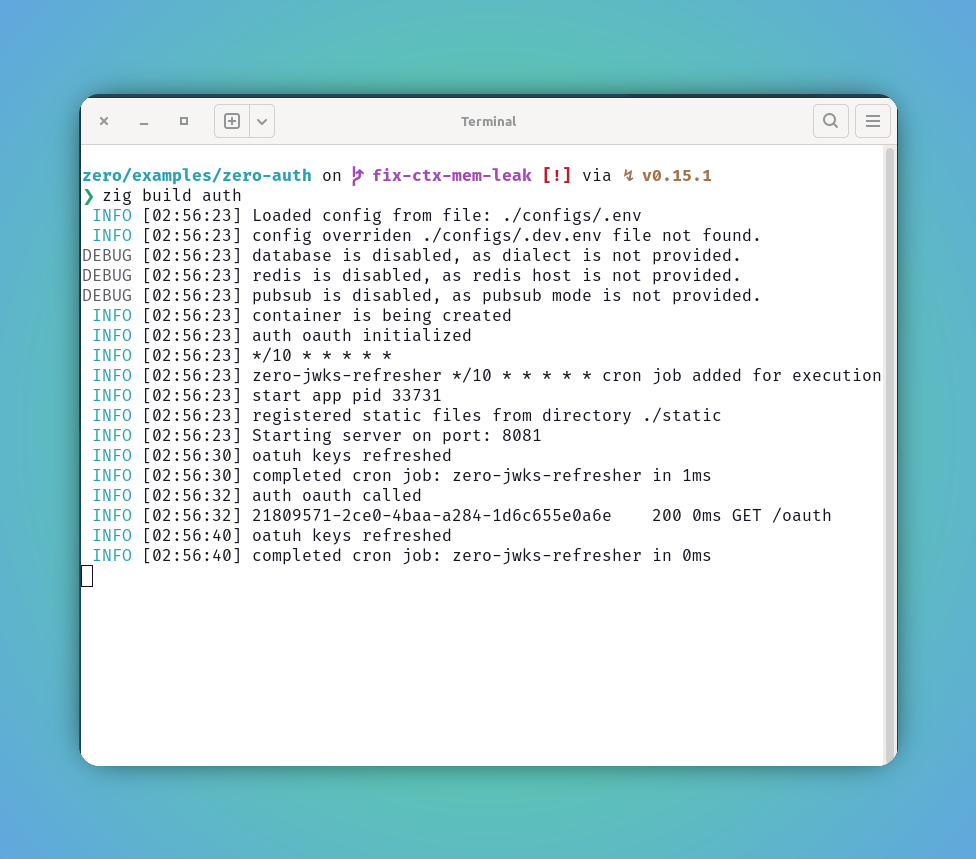
- Build and run the app.
zero/examples/zero-auth on main [!] via ↯ v0.15.1
❯ zig build auth
INFO [03:10:40] Loaded config from file: ./configs/.env
INFO [03:10:40] config overriden ./configs/.dev.env file not found.
DEBUG [03:10:40] database is disabled, as dialect is not provided.
DEBUG [03:10:40] redis is disabled, as redis host is not provided.
DEBUG [03:10:40] pubsub is disabled, as pubsub mode is not provided.
INFO [03:10:40] container is being created
INFO [03:10:40] auth oauth initialized
INFO [03:10:40] */10 * * * * *
INFO [03:10:40] zero-jwks-refresher */10 * * * * * cron job added for execution
INFO [03:10:40] start app pid 37234
INFO [03:10:40] registered static files from directory ./static
INFO [03:10:40] Starting server on port: 8081
INFO [03:10:50] oatuh keys refreshed
INFO [03:10:50] completed cron job: zero-jwks-refresher in 2ms
INFO [03:10:51] auth oauth called
INFO [03:10:51] 3611e407-e219-4a42-be92-a5bbc9ccfa0e 200 0ms GET /oauth
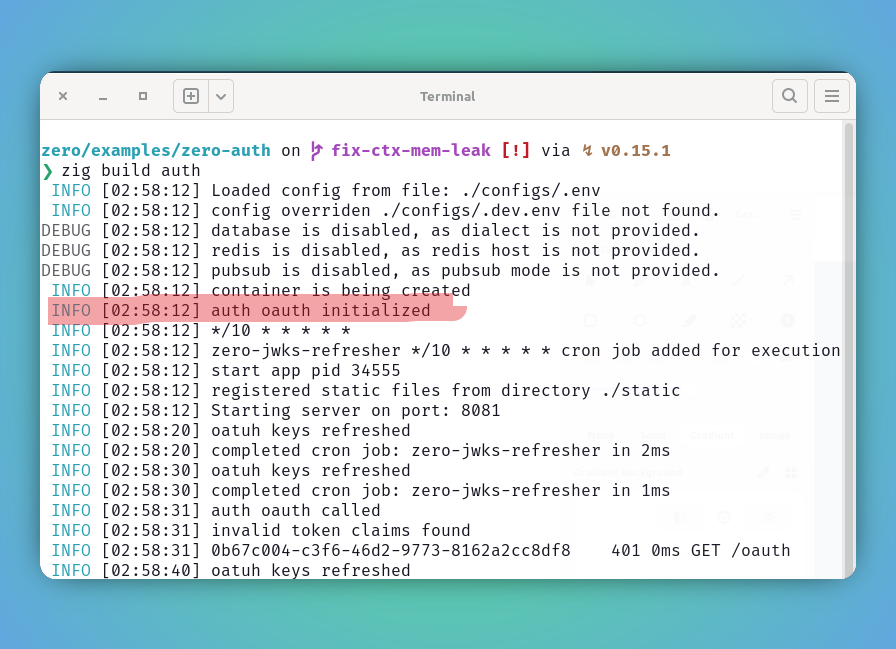
INFO [03:10:54] auth oauth called
INFO [03:10:54] invalid token claims found
INFO [03:10:54] ae66b8d2-7d9c-4677-8545-89c83107329a 401 0ms GET /oauth- Preview the server and check JWT authorization against valid and invalid tokens.
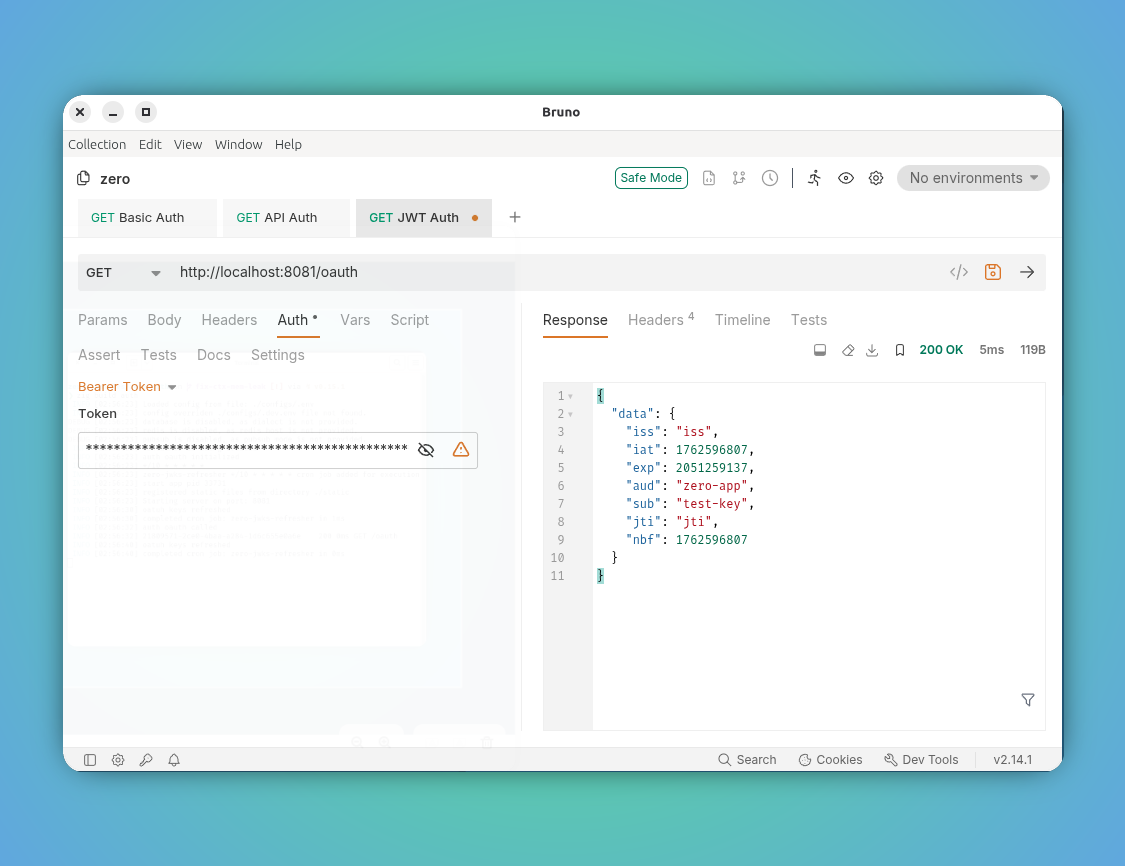
Use these tokens to test quickly.
Valid token
eyJhbGciOiJIUzI1NiIsInR5cCI6IkpXVCIsImtpZCI6Inplcm8tZnJhbWV3b3JrLWFwcCJ9.eyJpc3MiOiJpc3MiLCJpYXQiOjE3NjI1OTY4MDcsImV4cCI6MjA1MTI1OTEzNywiYXVkIjoiemVyby1hcHAiLCJzdWIiOiJ0ZXN0LWtleSIsImp0aSI6Imp0aSIsIm5iZiI6MTc2MjU5NjgwN30.ww0_A-vNXnl7_tsCChPrbh12vj5zGA3UAZPjyN6A0wIInvalid token
eyJhbGciOiJIUzI1NiIsInR5cCI6IkpXVCIsImtpZCI6Inplcm8tZnJhbWV3b3JrLWFwcC0xIn0.eyJpc3MiOiJpc3MiLCJpYXQiOjE3NjI1OTY4MDcsImV4cCI6MjA1MTI1OTEzNywiYXVkIjoiemVyby1hcHAiLCJzdWIiOiJ0ZXN0LWtleSIsImp0aSI6Imp0aSIsIm5iZiI6MTc2MjU5NjgwN30.o5mmBhlLr6zu-OcLNesNNrNH58mBFceyyDeKYRArOhURBAC
Role-Based Access Control (RBAC) restricts routes to specific roles after auth. The rbac middleware runs after auth and reads the caller's role from the verified JWT role claim.
Behavior (per src/mw/rbac.zig):
- A route with at least one rule is protected; a route with no rule stays public.
- Well-known paths (
/health,/live,/.well-known/*,/metrics) always bypass RBAC. - If the request has no
roleclaim (e.g. Basic / API Key auth, or no token) or the role is not allowed, the middleware returns403 Forbidden. - Method matching:
*matches any verb and comparison is case-insensitive. - Path matching: a trailing
*is a prefix wildcard (e.g./api/*matches/api/users/1). - An
exemptrule bypasses RBAC for its listed methods only; other methods on the same endpoint stay protected (they need a matching role rule).
Config-driven rules
RBAC is config-driven only. Load rules by calling app.rbacFromEnv() in main (reads RBAC_CONFIG), or from a JSON file via app.rbacFromJsonFile(path). app.rbacFromEnv() accepts only the endpoint-rule JSON format below.
RBAC_CONFIG is a single endpoint-rule object or an array of them:
{
  "permissions": ["ROLE", ...],
  "endpoint": "/path",
  "methods": ["GET", ...],
  "exempt": false
}# GET /api/resource -> requires the USER role
# POST /api/resource -> requires the ADMIN role
RBAC_CONFIG=[{"permissions":["USER"],"endpoint":"/api/resource","methods":["GET"]},{"permissions":["ADMIN"],"endpoint":"/api/resource","methods":["POST"]}]# bypasses RBAC for GET/POST on /api/admin/* for any role,
# but other methods (e.g. DELETE) stay protected
RBAC_CONFIG=[{"permissions":["ADMIN"],"endpoint":"/api/admin/*","methods":["GET","POST"],"exempt":true}]exempt: true opens the listed methods to any role. Methods not listed stay protected and need a matching permission rule.
RBAC needs a role claim in the verified JWT, so it works with AUTH_MODE=OAuth. Basic and API Key auth carry no role, so they get 403 on protected routes.
Limitations
- The public key refresh interval can be as low as 1 second.
Stability
API Key and Basic auth no longer crash on a malformed header. zero now reads the last non-empty token from the Authorization header, so a key supplied bare (no ApiKey / Basic scheme prefix) matches directly instead of leaking a wild pointer. If no token is present, the request is rejected with 401 Unauthorized rather than faulting the process.
Recommendation
We recommend using the ctx allocator whenever possible. It's tied to the request lifecycle, so deallocation is automatic and memory leaks are avoided.