
SQLite
zero ships with built-in support for SQLite. SQLite is a local file, not a server or container. That makes it the fastest way to wire a real database into your app.
The ctx.SQL interface you use for Postgres also drives SQLite. zero picks the right backend from DB_DIALECT.
ctx.SQL.queryRow(ctx, comptime T: type, query, args);        # retrieves one row, returns ?T
ctx.SQL.queryRows(ctx, comptime T: type, query, args);       # retrieve multiple rows, returns []T
ctx.SQL.exec(ctx, query, args);                              # execute any statements that persist the data
ctx.SQL.select(ctx, comptime T: type, query, args);          # retrieve and transform one row to comptime T
ctx.SQL.selectSlice(ctx, comptime T: type, list, query, args); # retrieve and transform rows into a slice of T
These methods run through the handler Context. You get your results without writing boilerplate.
REST Handlers
This example runs a small app on SQLite. There's no container to pull. Just set DB_DIALECT=sqlite to a local file.
- Create the database file and a table.
CREATE TABLE IF NOT EXISTS users(
 id INTEGER PRIMARY KEY AUTOINCREMENT,
 name TEXT NOT NULL
);

INSERT INTO users(name) values ('anu');
You can also automate the schema and seed data with Migrations instead of doing this by hand.
- Update
configs/.envfor SQLite.
# App configs
APP_ENV=dev
APP_NAME=basic
APP_VERSION=1.0.0
LOG_LEVEL=info
HTTP_PORT=8080

# Database configs (SQLite: a local file, no server)
DB_DIALECT=sqlite
SQLITE_PATH=./data/app.db
SQLITE_CREATE=true
SQLITE_WRITE=true
SQLITE_THREADING=multi-thread- A
GEThandler that reads from SQLite.
const std = @import("std");
const zero = @import("zero");

const App = zero.App;
const Context = zero.Context;

pub const std_options: std.Options = .{
    .logFn = zero.logger.custom,
};

pub fn main(init: std.process.Init) !void {
    var arean = std.heap.ArenaAllocator.init(std.heap.page_allocator);
    defer arean.deinit();

    const allocator = arean.allocator();

    const app = try App.new(allocator, init.io, init.environ_map);

    try app.get("/db", dbResponse);

    try app.run();
}

pub fn dbResponse(ctx: *Context) !void {
    const User = struct {
        id: i64,
        name: []const u8,
    };

    const user = try ctx.SQL.queryRow(ctx, User, "select id, name from users limit 1", .{}) orelse unreachable;

    try ctx.json(user);
}- Build and run.
zero/examples/zero-sqlite on experimental via ↯ v0.16.0
❯
❯ zig build sqlite
 INFO Loaded config from file: ./configs/.env
 INFO generating database connection string for sqlite
 INFO connected to sqlite database at './data/app.db'
 DEBUG redis is disabled, as redis host is not provided.
 DEBUG pubsub is disabled, as pubsub mode is not provided.
 INFO container is being created
 INFO no authentication mode found and disabled.
 INFO sqlite app pid 21205
 INFO registered static files from directory ./static
 INFO Starting server on port: 8080
INFO 019a429a-ca35-7000-8334-d2df6ff40559 200 1ms GET /db- Preview server status and handler response.
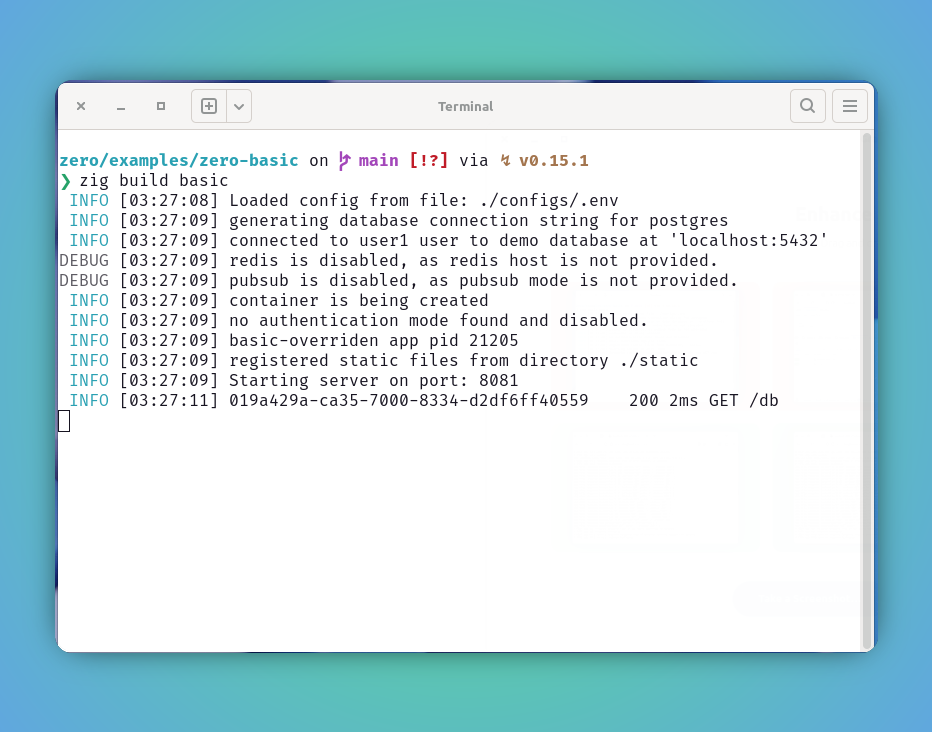
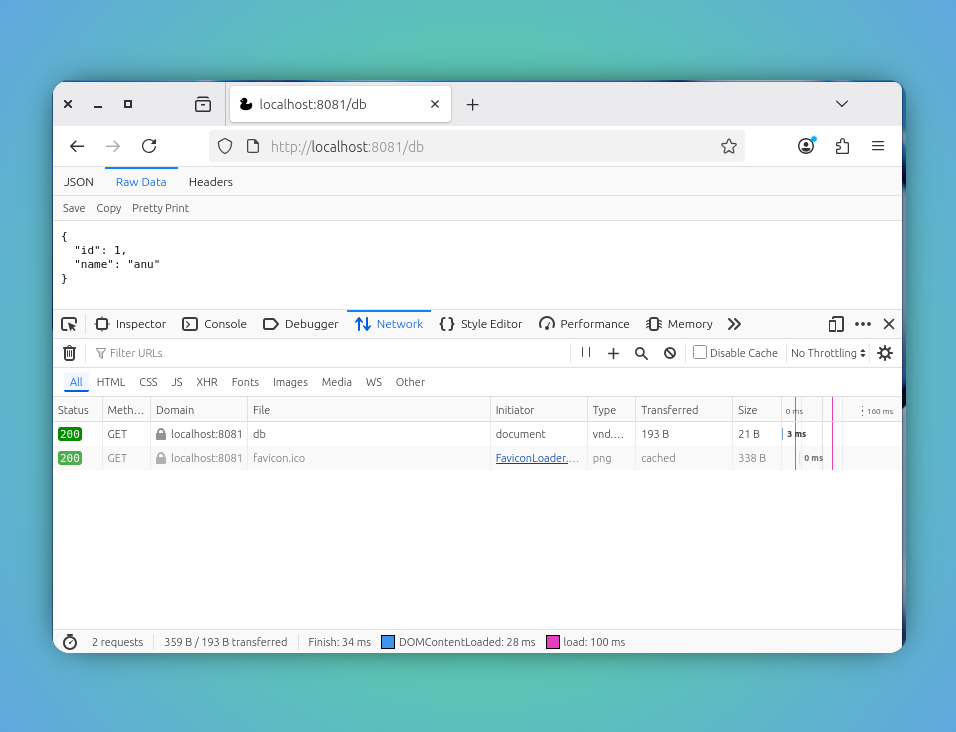
Use this slider to compare the server status and the handler response.
This is just a start. The full CRUD lifecycle, insert with ? placeholders, ctx.SQL.lastInsertRowID(), and ctx.SQL.rowsAffected(), is in the [zero-sqlite`](https://github.com/im-ng/zero/tree/experimental/examples/zero-sqlite) example. See HTMX for more.
Transactions
ctx.SQL exposes begin(), commit(), and rollback(). They group statements on one pinned connection. Begin, run your statements, commit, and roll back if something errors:
pub fn transfer(ctx: *Context) !void {
    try ctx.SQL.begin();
    errdefer ctx.SQL.rollback() catch {};

    try ctx.SQL.exec(ctx, "update accounts set balance = balance - 100 where id = 1", .{});
    try ctx.SQL.exec(ctx, "update accounts set balance = balance + 100 where id = 2", .{});

    try ctx.SQL.commit();
}
Each statement also has a default 30s per-statement timeout.
You can wrap the SQLite datasource in a circuit breaker with SQL_CIRCUIT_BREAKER_ENABLE=true.
It trips open after 5 failures in a row and returns error.CircuitOpen.
See Resilience → Circuit breakers#circuit-breakers).
Recommendation
We recommend using the ctx allocator whenever you can. It's tied to the request lifecycle, so deallocation is handled for you and memory leaks are avoided.