
Scheduling Tasks
zero lets you schedule one or more tasks to run automatically in your app.
zero uses crontab notation. The schedule stays clear and readable, and it can repeat down to the level of seconds.
second(s) minute(s) hours(s) dayOfMonth(s) month(s) dayOfWeek(s)
    *       *          *          *           *         *
Cronz
zero ships with a built-in scheduler called cronz. It lets you schedule one or more tasks that run on the app's container during its lifetime.
You call it with a simple method, so defining and managing jobs stays straightforward.
app.addCronJob("cron-schedule", "task-name", task-handler);fn task1(ctx: *Context) !void {
# your needed tasks executed here
}Supported Crontab notations
| Format | What it does? | Mode |
|---|---|---|
| * * * * * * | Execute on every second | |
| 1-10 * * * * * | Execute between 1-10 seconds of each minute | Range |
| */2 * * * | Execute on every two minutes | Split |
| 0 1,3,5,10 * * * * | Execute on every 1st, 3rd, 5th and 10th Minute | Repeat |
Example
This example shows how to schedule tasks with the zero built-in cronz scheduler.
- The
zero-cronzexample below shows how to get started.
const std = @import("std");
const zero = @import("zero");

const App = zero.App;
const Context = zero.Context;

pub const std_options: std.Options = .{
    .logFn = zero.logger.custom,
};

pub fn main(init: std.process.Init) !void {
    var arena_instance = std.heap.ArenaAllocator.init(std.heap.page_allocator);
    defer arena_instance.deinit();

    const allocator = arena_instance.allocator();

    const app = try App.new(allocator, init.io, init.environ_map);

    try app.addCronJob("*/5 * * * * *", "task-1", task1);
    app.container.log.info("task 1 occurs every 5 seconds of minutes");

    try app.addCronJob("[30-40] * * * * *", "task-2", task2);
    app.container.log.info("task 2 occurs between 30-40 second of every minute");

    try app.run();
}

fn task1(ctx: *Context) !void {
    const timestamp = try utils.sqlTimestampz(ctx.allocator);
    ctx.info(timestamp);
}

fn task2(ctx: *Context) !void {
    const timestamp = try utils.sqlTimestampz(ctx.allocator);
    ctx.info(timestamp);
}- Let's build and run the app.
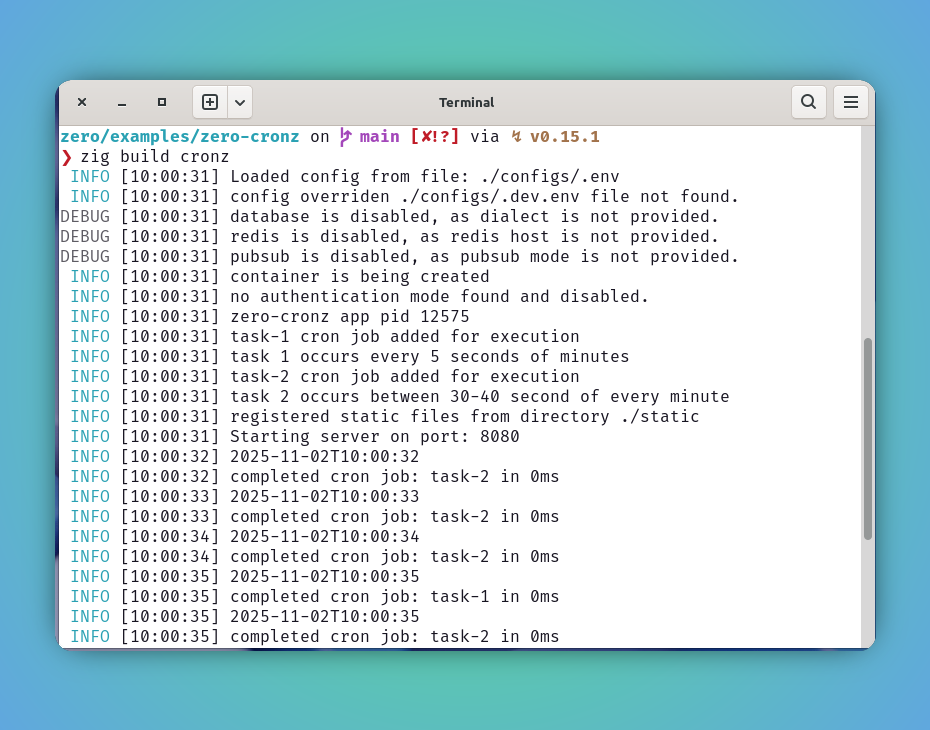
zero/examples/zero-cronz on main [✘!?] via ↯ v0.15.1
❯ zig build cronz
INFO [10:11:16] Loaded config from file: ./configs/.env
INFO [10:11:16] config overriden ./configs/.dev.env file not found.
DEBUG [10:11:16] database is disabled, as dialect is not provided.
DEBUG [10:11:16] redis is disabled, as redis host is not provided.
DEBUG [10:11:16] pubsub is disabled, as pubsub mode is not provided.
INFO [10:11:16] container is being created
INFO [10:11:16] no authentication mode found and disabled.
INFO [10:11:16] zero-cronz app pid 13506
INFO [10:11:16] task-1 cron job added for execution
INFO [10:11:16] task 1 occurs every 5 seconds of minutes
INFO [10:11:16] task-2 cron job added for execution
INFO [10:11:16] task 2 occurs between 30-40 second of every minute
INFO [10:11:16] registered static files from directory ./static
INFO [10:11:16] Starting server on port: 8080
INFO [10:11:20] 2025-11-02T10:11:20
INFO [10:11:20] completed cron job: task-1 in 0ms
INFO [10:11:25] 2025-11-02T10:11:25
INFO [10:11:25] completed cron job: task-1 in 0ms
INFO [10:11:30] 2025-11-02T10:11:30
INFO [10:11:30] completed cron job: task-1 in 0ms
INFO [10:11:30] 2025-11-02T10:11:30
INFO [10:11:30] completed cron job: task-2 in 0ms- You can preview the server status and how the jobs repeat.
Reliability
Each job run is serialized with a per-job mutex. If a tick runs longer than its interval, the next one won't start on top of it.
If a run returns an error, zero retries it up to 3× with a 500 ms backoff before marking it failed. Because job.run runs inside this guarded scope, a failing handler can't leak a half-finished tick into the next one.
Recommendation
Use the ctx allocator whenever you can. It's tied to the request lifecycle, so zero frees the memory for you and prevents leaks.